You meant to turn out the light at 11. You pick up your phone to set the alarm, open one video, and look up half an hour later. The alarm is set, and the phone is still in your hand.
Try one change tonight. Choose the last thing you’ll do on your phone, then decide where you’ll put it when you’re done. “Set my alarm, then plug the phone in on the dresser” gives you both an action and a place to stop. Jump to the bedtime routine.
Give your phone a place to go before bed
The U.S. Centers for Disease Control and Prevention lists switching off electronic devices at least 30 minutes before bedtime among its suggested sleep habits. If you want lights out at 11, try finishing your phone tasks by 10:30 and keep the rest of the time simple. CDC sleep habits
- Finish the things you picked up the phone to do. Set tomorrow’s alarm and send any message that needs an answer tonight. If you want background sound, choose it while you’re already there.
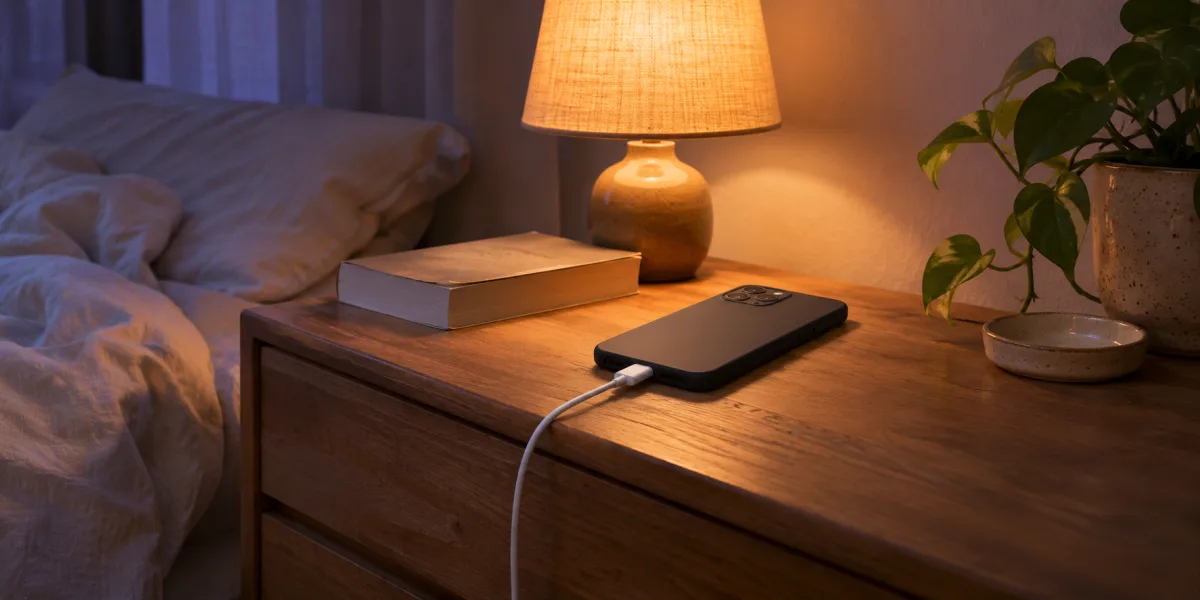
- Plug the phone in and leave it there. Pick a spot that takes getting out of bed to reach, such as a dresser across the room. If you rely on the phone for an alarm or important calls, leave it where you can hear those alerts.
- Have one thing ready to do next. Leave a paper book by the lamp, lay out tomorrow’s clothes, or wash up. Choose something with a clear stopping point, such as reading two pages.
Why one more video keeps moving bedtime
Setting the alarm has a clear end. Opening a feed gives you another thing to look at as soon as the current one ends. If the phone stays in your hand after the alarm is set, it’s easy to leave the decision about stopping until after the next clip.
In a 2014 survey study, researchers used the term bedtime procrastination for putting off going to bed when circumstances allow you to go at the time you intended. People who reported doing it more often also reported insufficient sleep more often. You can use the idea to spot the moment your own bedtime starts drifting. Kroese and colleagues, 2014
What to do if you’re already scrolling
Say it’s 10:52, you’re halfway through a clip, and the phone was supposed to be on the dresser by 10:30. Close the app where you are, stand up, and take the phone to its charger. Then pick up the book you left by the lamp or finish getting ready for bed.
If putting the phone down felt awkward because you still needed it for something, change that step tomorrow. Move the alarm setting earlier, put the charger where you can reach it easily before getting into bed, or have the book open to the page you want.
Start a Night Flight, then put the phone down
If you like winding down with a sound in the background, starting a Night Flight in FlightFlow can be your last phone action. Set your alarm first. Then pick a Night Flight, set the duration, choose a virtual destination, and preview a seat sound like light rain or the hum of an airplane cabin.

Choose a seat and board. When the flight starts, set the sound at a comfortable background volume, lock the screen, and plug in the phone. Then move on to the paper book or whatever you chose to do next.
To make takeoff part of the routine, get FlightFlow and try a Night Flight when you’re ready to put the phone away.